Retro gaming in the cloud: RetroArch on a GPU server, streamed with Sunshine and Moonlight
Your retro game collection in one place, playable from your laptop, your phone or your TV, with the same saves everywhere: that is what a small cloud server with a GPU gives you. We installed RetroArch on a Linux server with an Intel UHD 770 and no monitor, and streamed it with Sunshine (on the server) to Moonlight (on the player’s side). The GPU does two jobs: it draws the image, including the CRT shaders that make old games look like they did on a tube TV, and it encodes the video stream.
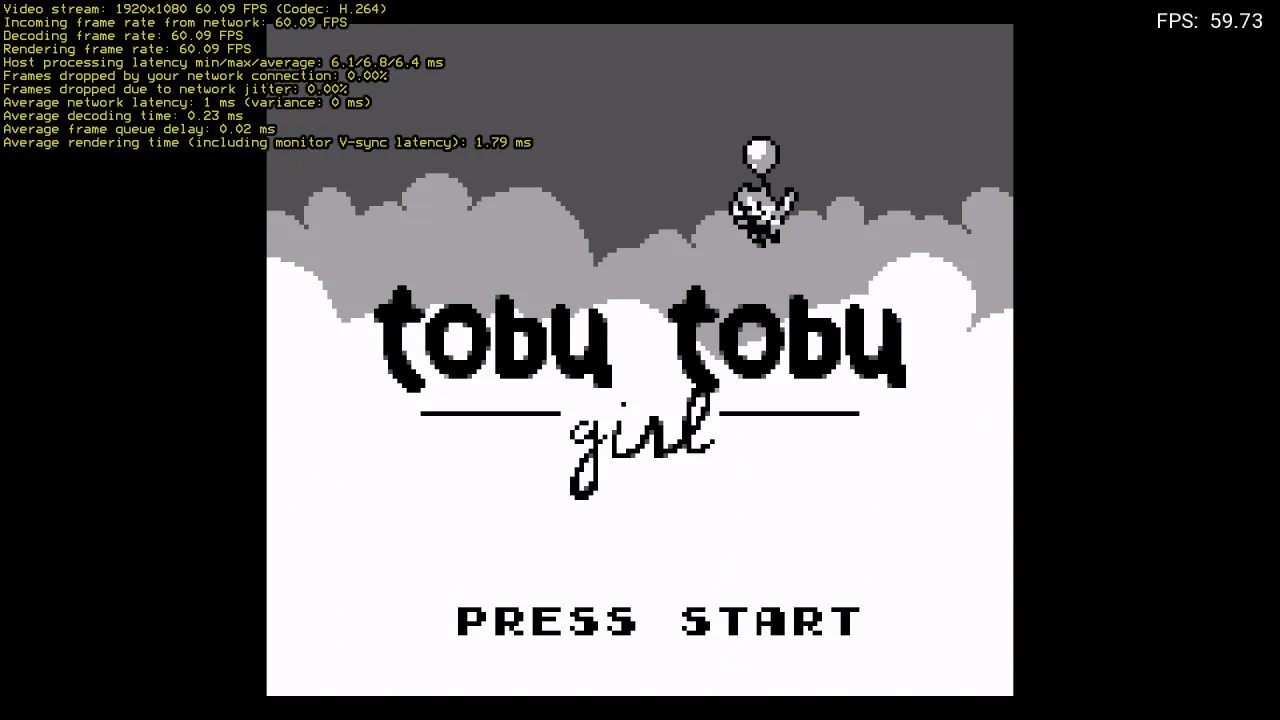
Use your own, legally obtained games. For this test we only used free homebrew games, downloaded from their authors’ official pages: Tobu Tobu Girl (Game Boy, by Tangram Games, released for free with its source code) and µCity (Game Boy Color, open source). Many authors publish new games for old consoles in the same way, and you can also copy your own cartridges and discs with a dumper.
Results at a glance
- Emulation is not the problem: with V-Sync off, RetroArch ran a Game Boy game at 1,863 fps and a Game Boy Color game at 1,807 fps at 1080p, about 30 times the console’s speed.
- CRT shaders are where the GPU matters: with crt-royale, one of the heaviest CRT shaders, RetroArch still drew about 255 fps at 1080p, four times what is needed.
- Streaming costs little: 1080p 60 fps H.264 encoded by the GPU, 4.6 to 6.5 ms of processing on the server on average during play (shader or not), no frame dropped, and only 13 to 17 % of one CPU core for Sunshine.
- iGPU Start is enough for 8- and 16-bit consoles; choose iGPU Power if you also play heavier systems or want more margin when other servers use the GPU.
Test setup
| Item | Value |
|---|---|
| Server | Debian 13, Linux 7.3, Intel UHD 770 (shared GPU), 4 vCPU, 8 GB of RAM, no monitor |
| Emulator | RetroArch 1.20.0 (Debian packages), cores Gambatte (Game Boy) and mGBA (Game Boy Color) |
| Shaders | libretro glsl-shaders collection (crt-royale, crt-lottes), OpenGL video driver |
| Screen | headless sway (Wayland) at 1920×1080, drawn by the GPU |
| Streaming | Sunshine 2026.914 on the server, Moonlight 6.2 on a Linux client, H.264 1080p 60 fps, hardware decoding |
| Network | client and server in the same data centre: on the Internet, add your connection’s latency |
1. A screen for a server that has none
A cloud server has no monitor, so we give it a virtual one. We used sway, a small Wayland desktop,
in “headless” mode: it creates a 1920×1080 screen in memory and draws it with the Intel GPU. RetroArch
runs full screen on it, and Sunshine captures it directly (capture = wlr) and encodes it on the GPU
(encoder = vaapi):
# ~/.config/sunshine/sunshine.conf
capture = wlr
encoder = vaapi
adapter_name = /dev/dri/renderD128
Sunshine then finds the hardware encoders (h264_vaapi, hevc_vaapi). AV1 streaming is not available
on this GPU: use H.264 or HEVC in Moonlight. Avoid Xvfb, the usual “virtual screen” for X11: it draws
everything with the CPU, and the GPU would not be used for the shaders.
2. How fast is emulation?
To measure what the server can do, we turned V-Sync off and audio sync off, and asked RetroArch to run a fixed number of frames as fast as possible, full screen at 1080p. We timed 600 and 3,600 frames and divided the difference, so that start-up time (loading, shader compilation) does not count.
| RetroArch, 1080p, V-Sync off | No shader | crt-royale | crt-lottes |
|---|---|---|---|
| Game Boy, Tobu Tobu Girl (Gambatte) | 1,863 fps | 257 fps | 80 to 116 fps |
| Game Boy Color, µCity (mGBA) | 1,807 fps | 253 fps | not measured |
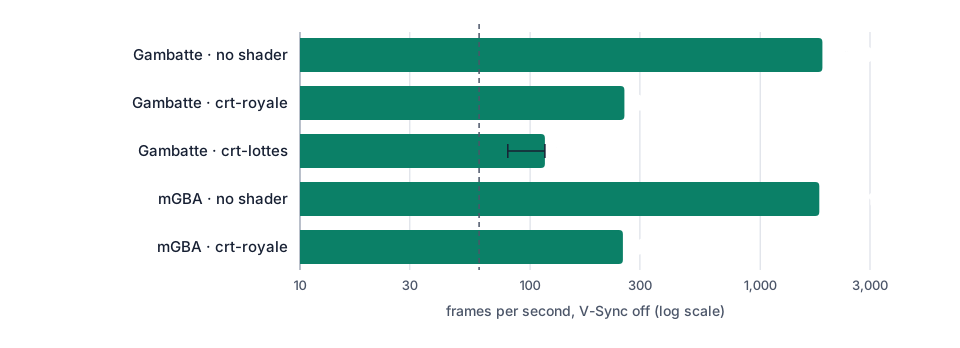
The emulation itself costs almost nothing: these consoles are tiny for a modern processor. The CRT shader is a GPU job: it redraws every pixel of the 1080p screen with scanlines, the shadow mask and the glow of a tube TV. Even with crt-royale, the server stays far above the 60 fps needed. The two crt-lottes runs gave different results (80 and 116 fps): the GPU is shared, and other test servers were using it at the time.
V-Sync off is for measuring only. To play, set RetroArch to follow the game’s own rate (“Sync to
Exact Content Framerate”, vrr_runloop_enable = "true"): the game then runs at the console’s speed
(59.73 Hz for a Game Boy), and Moonlight shows it smoothly on your screen.
3. Streaming with Moonlight: what it costs
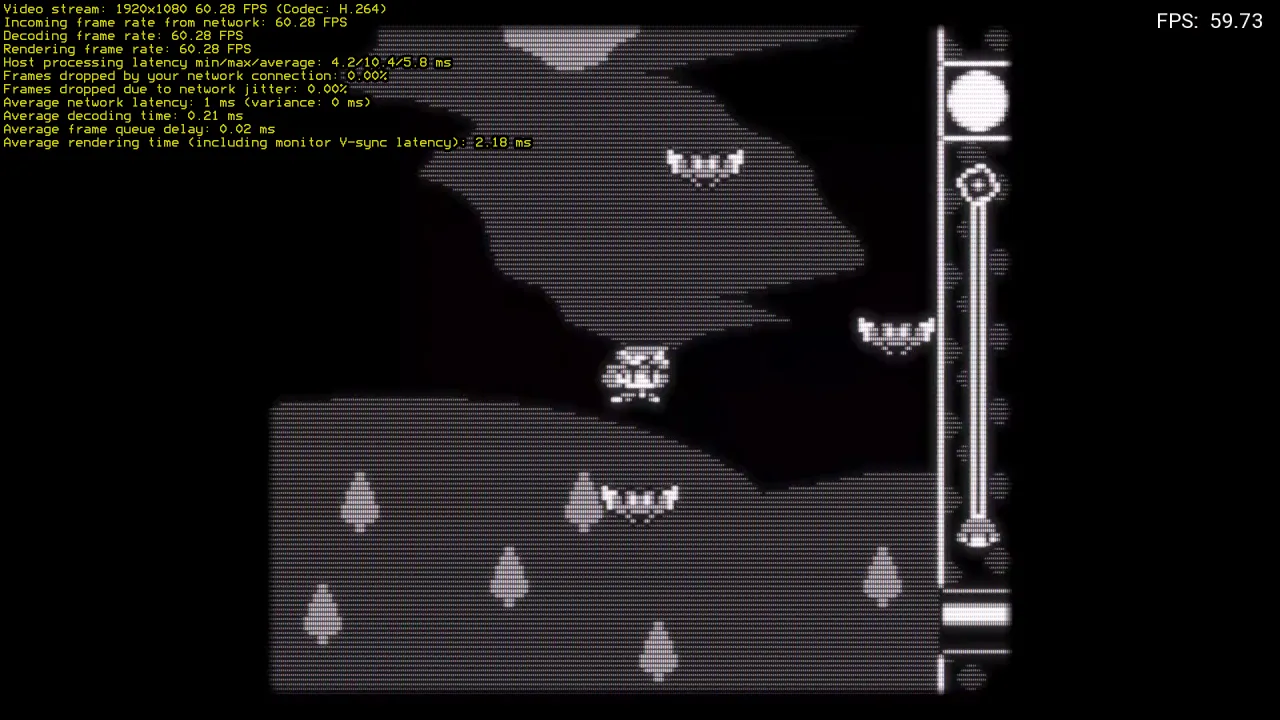
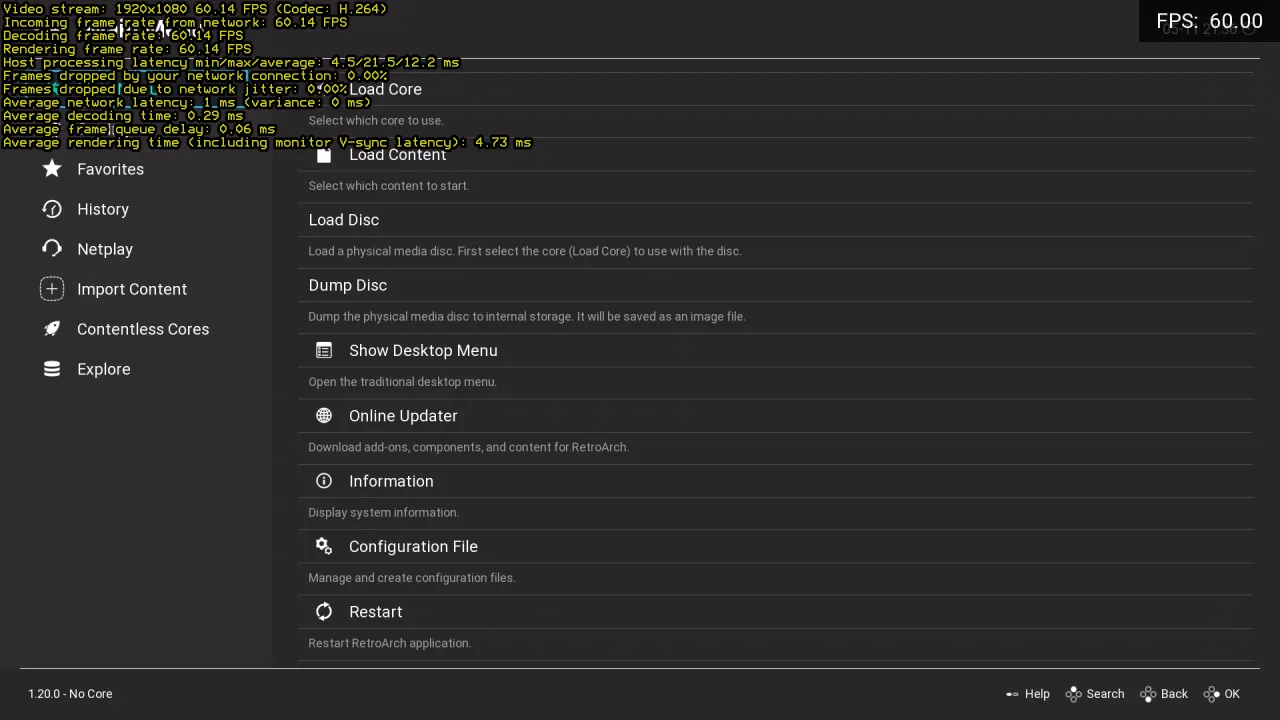
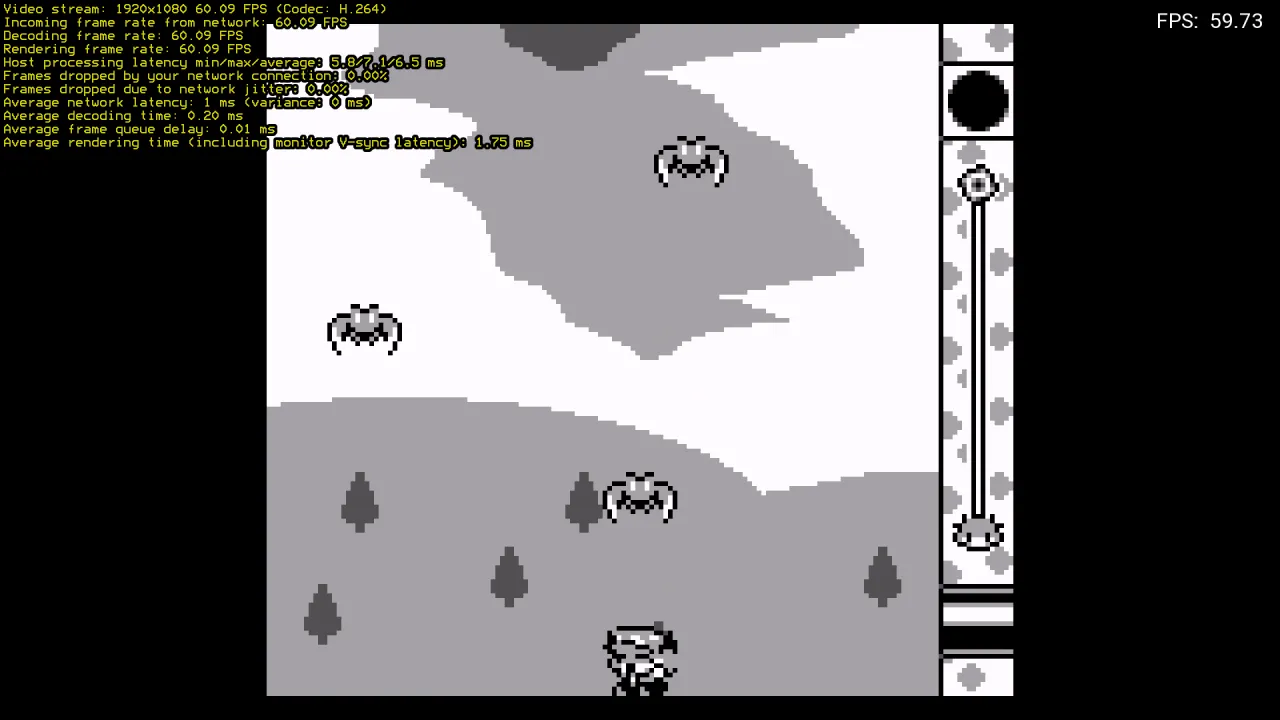
We started each game from Moonlight (each one is a Sunshine “application”, see below), played, and noted Moonlight’s performance overlay and the server’s CPU usage:
| Moonlight, 1080p 60 fps H.264 | Game, no shader | Game, crt-royale | RetroArch menu |
|---|---|---|---|
| Server processing (capture + encoding), average | 4.6 to 6.5 ms | 5.8 to 6.4 ms | 12.2 ms |
| Server processing, min / max | 4.3 / 7.1 ms | 4.2 / 11.7 ms | 4.5 / 21.5 ms |
| Frames dropped by the network or by jitter | 0 % | 0 % | 0 % |
| Decoding time on the client | 0.20 to 0.23 ms | 0.21 to 0.24 ms | 0.29 ms |
| Sunshine CPU (share of one core) | 14 % | 17 % | not measured |
| RetroArch CPU (share of one core) | 4 % | 6 % | not measured |
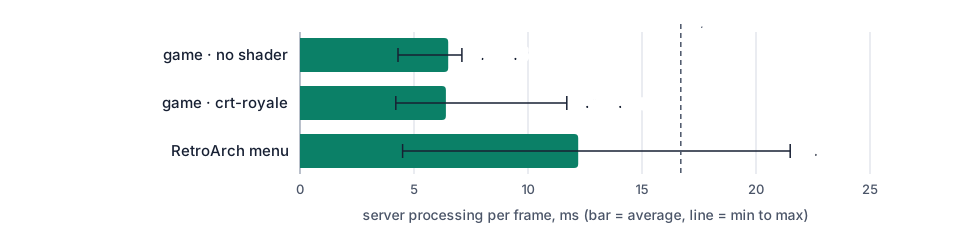
The stream used 15 Mbit/s, Sunshine’s default for 1080p. The encoder is a separate part of the GPU from the one that draws the shaders, which is why the CRT shader does not slow the stream down. The RetroArch menu, with its animated background, takes a little longer to capture than a Game Boy game. Your total latency will mostly depend on your Internet connection to the server (Germany): a good fibre connection in Europe typically adds 10 to 30 ms.
4. One Sunshine application per game
Sunshine starts a program when Moonlight asks for an “application”. We created one for RetroArch’s menu
and one per game, so a game can be started straight from Moonlight (~/.config/sunshine/apps.json):
{
  "name": "Tobu Tobu Girl (CRT)",
  "cmd": "retroarch --appendconfig=/root/play.cfg --set-shader /root/glsl-shaders/crt/crt-royale.glslp -L /usr/lib/x86_64-linux-gnu/libretro/gambatte_libretro.so /root/roms/tobu.gb",
  "auto-detach": "true",
  "wait-all": "true"
}
play.cfg holds the few RetroArch settings that matter for playing through Sunshine:
video_driver = "gl"
video_fullscreen = "true"
video_vsync = "false"
vrr_runloop_enable = "true"
video_scale_integer = "true"
video_shader_enable = "true"
pause_nonactive = "false"
audio_driver = "pulse"
config_save_on_exit = "false"
pause_nonactive = "false" stops RetroArch from pausing when it thinks it lost focus, and
config_save_on_exit = "false" stops a test or a menu change from overwriting your settings. Sunshine
creates a virtual gamepad, keyboard and mouse on the server for Moonlight’s player, so your own gamepad
works as if it were plugged into the server. If you prefer a console-like game library with box art,
ES-DE (EmulationStation Desktop Edition) can be added as another Sunshine application on top of
RetroArch; we did not include it in this test.
5. iGPU Start or iGPU Power?
For 8- and 16-bit consoles, iGPU Start (2 vCPU, 8 GB of RAM, €14.99 per month excl. VAT) is enough: RetroArch and Sunshine together used about a quarter of one core in our test. iGPU Power (4 vCPU, 14 GB of RAM, twice the GPU share of Start, €29.99 per month excl. VAT) is the better choice if you use heavy CRT shaders, play more demanding systems, or want the stream to stay steady when other servers use the GPU at the same time.
6. Set it up on a Linux GPU server
Want it ready to play? Ask for it by email when you order (contact@linuxgpu.eu): we can deliver the server with everything below already installed and set up (virtual screen, RetroArch, shaders, Sunshine). You only install Moonlight on your own computer, phone or TV box, pair it, and add your own games.
To do it yourself:
- Install RetroArch and the cores:
apt install retroarch libretro-gambatte libretro-mgba libretro-nestopia, and the shaders:git clone https://github.com/libretro/glsl-shaders. - Start a headless sway session on the GPU (
WLR_BACKENDS=headless WLR_RENDER_DRM_DEVICE=/dev/dri/renderD128 sway) with a 1920×1080 output. - Install Sunshine (Debian 13 package from its official GitHub releases), with the configuration above, and add one application per game.
- Open Sunshine’s web interface through an SSH tunnel
(
ssh -L 47990:localhost:47990 you@your-server), create the Sunshine account and pair Moonlight (Windows, macOS, Linux, Android, iOS, TV boxes). - Copy your games to the server (
scp), and play.
Your server is reached over IPv6 by default. If your connection has no IPv6, add the dedicated IPv4 option, or connect through Tailscale without opening any port: see play on your cloud server from anywhere with Moonlight and Tailscale.
For PC games, read Windows 11 in the cloud with Sunshine and Moonlight and running Windows games on a Linux GPU server with Wine.
Systems ready for gaming out of the box. The systems we install by default are already set up for this: Debian 13 with a recent kernel (7.3), the Intel GPU drivers and Mesa (OpenGL, Vulkan, VA-API video encoding), and Windows 11 (option) with Intel’s graphics driver and Remote Desktop rendered on the GPU. No driver to hunt for: install your game and Sunshine, and play.
Try it
See the plans: iGPU Start is €14.99 and iGPU Power €29.99 per month excl. VAT.